
Full Guide: Connecting Two Behringer Wing Consoles via AES50 and Stage Snakes
As the needs of church audio/visual systems grow—especially with live streaming and separate monitor mixes—it often becomes necessary to use multiple digital mixing consoles. The Behringer Wing offers an incredible amount of flexibility, including the ability to share I/O between two consoles using AES50 digital audio networking.
This guide walks you through how to connect two full-sized Behringer Wing consoles using AES50 and Behringer stage snakes (like the S32), giving both consoles access to shared inputs. This is perfect for scenarios where you need independent Front of House (FOH) and monitor or broadcast mixes. No Dante setup is required.
Why Connect Two Wings?
- Independent Mixes: Run FOH from one Wing, and a livestream or stage monitor mix from the second Wing.
- Shared Inputs: Both consoles access the same audio sources without needing analog splitters.
- Custom Processing: Independently apply EQ, dynamics, effects, and more on the same audio channels.
Equipment Required:
- 2 x Behringer Wing Digital Consoles
- 1 or 2 x Behringer S32 Stage Snakes (or compatible AES50 I/O boxes like SD8, SD16)
- Shielded CAT5e cables for AES50 connections
Setup Scenario 1: Connecting Two Wings via One Stage Snake (Primary Wing + Shared Snake)
This is the most common and simplest setup when you have one stage box (S32):
Step-by-Step:
1. Cable Connections:
- Connect AES50-A from the Primary Wing to AES50-A on the S32 stage snake
- Connect AES50-B from the S32 stage snake to AES50-A on the Secondary Wing
This creates a daisy-chain:Primary Wing ➝ Snake ➝ Secondary Wing
2. Clock Settings (Crucial for Sync):
- On the Primary Wing:
- Go to:
Setup > Audio - Sync Source:
Internal - Sample Rate:
48kHz
- Go to:
- On the Secondary Wing:
- Go to:
Setup > Audio - Sync Source:
AES50-A(since it’s connected to the snake) - Sample Rate:
48kHz
- Go to:
When configured correctly, each Wing should show a stable green light under their respective AES50 port indicators.
3. Routing Inputs:
- Connect a source (e.g., laptop or keyboard) to Channel 1 on the S32.
- On the Primary Wing:
- Input routing: route
AES50-A Ch 1toChannel 1
- Input routing: route
- On the Secondary Wing:
- Route the exact same:
AES50-A Ch 1toChannel 1
- Route the exact same:
You should now see signal activity on both Wings.
Important Notes on Gain Sharing:
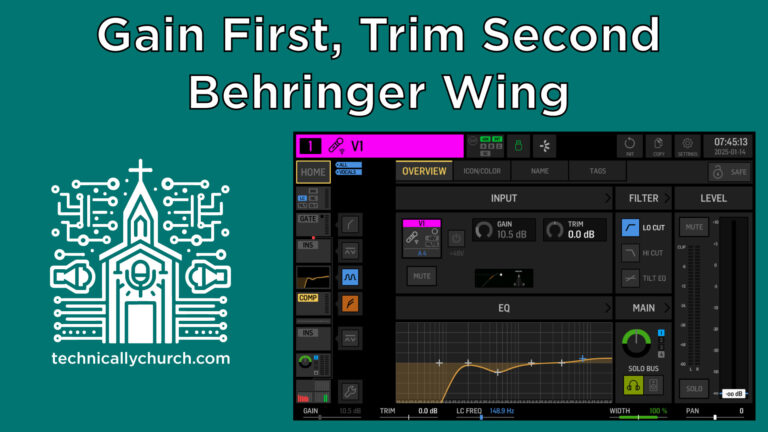
When both consoles pull audio from the same preamp (such as on a shared S32 input), only one console can control the input gain.
On the Primary Wing, gain control and trim are available.
On the Secondary Wing, only trim is available. The Gain knob is disabled.
- Make sure the primary operator sets the correct input gain early.
- The secondary console can still apply trim for minor gain adjustments.
🛑 Tip: Changing input gain on the Primary Wing affects both consoles. This can alter input levels mid-service. Communicate with your audio team before making changes!
Setup Scenario 2: Connecting Two Wings via Two Stage Snakes
To increase your input capacity or divide inputs between different I/O boxes:
Step-by-Step:
Primary Wing Cable Setup:
- AES50-A ➝ Snake 1 (e.g., S32)
- AES50-B ➝ Snake 2
Secondary Wing:
- Connect:
- AES50-A ➝ Snake 1’s AES50-B (daisy chain)
- AES50-B ➝ Snake 2’s AES50-B
- Connect:
This gives both Wings access to all 64 inputs provided by two S32s.
Each snake supports up to 32 inputs, and daisy-chaining them into the inputs of both consoles gives full channel access.
Setup Scenario 3: Direct Console-to-Console Connection (No Snake-to-Wing Daisy Chain)
If your wiring requires direct routing between consoles, you can skip the snake-to-second-wing link and go Wing-to-Wing.
Step-by-Step:
1. Cable Connections:
- Primary Wing ➝ S32 (AES50-A ➝ A)
- Primary Wing AES50-B ➝ Secondary Wing AES50-A (direct CAT5e/6 cable)
2. Clock Settings:
- Primary Wing:
Internal - Secondary Wing:
- Sync Source:
AES50-A(which is coming from Primary Wing) - Sample Rate:
48kHz
- Sync Source:
3. Now Route Signals Between Wings:
You must manually route the desired sources from the Primary Wing to be sent out from AES50-B to the Secondary Wing.
Example: To send channel 1 from S32 to Secondary Wing through the Primary Wing…
On Primary Wing:
- Go to:
Routing > Outputs - Select
AES50-B 1–8 - Route:
AES50-A Ch 1 ➝ AES50-B Ch 1
On Secondary Wing:
- Input Routing:
AES50-A Ch 1 ➝ Channel 1
🎯 Important: Direct console-to-console connections require deliberate routing of outputs on the sending Wing. You must explicitly choose what goes out on AES50-B.
This minimizes cable runs in some setups and helps isolate different parts of the audio setup.
Final Thoughts and Best Practices:
- Label cables clearly and test signal chains early before rehearsals or services.
- Gain staging and head amp sharing are unavoidable with shared inputs. Always plan gain structure carefully.
- Consider using scenes or snapshots to save routing and setup configurations—especially if your setup changes week to week.
Use Cases Recap:
| Need | Recommended Setup |
|---|---|
| FOH + Monitor Mix | Two Wings, Shared Snake |
| FOH + Livestream Mix | Console-to-Console Direct |
| Over 32 Inputs | Two Snakes, Daisy-Chained to Both Wings |
| Cable Management Constraints | Direct Wing-to-Wing with Output Routing |
By understanding how to route audio efficiently between Behringer Wing consoles using AES50 and stage boxes, you unlock powerful capabilities for live mixing, streaming, and monitoring—all without investing in additional networking hardware like Dante. With these step-by-step instructions, your team will be able to adapt and scale your audio setup to meet the growing needs of your ministry environment.